Getting started
This path installs the CLI, pulls agency-tester, starts a session, and opens it in the browser. You need curl.
Install the CLI
Run:
curl -fsSL https://rig.slopkit.dev/install.sh | bash
The script writes ~/.local/bin/rig. Match this last line on Linux x64:
rig: installed ~/.local/bin/rig (rig-linux-x64)
Then run:
rig version
What the installer prints before that last line
rig: fetching installer latest from gitlab.techtailors.net
rig: downloading rig-linux-x64 latest from gitlab.techtailors.net
rig: installed ~/.local/bin/rig (rig-linux-x64)
Run an agent
-
Pull
agency-tester.rig pull https://repo.slopkit.dev/agents/agency-tester@latest
Match a last line that starts with
pulledand names that image. -
Create a session and send the first message.
rig session create --agent agency-tester --prompt "Hello."
Create starts a local runtime when one is not already up. Match
running. The login query is a one-time token. Your ticket, session name suffix, and id will differ.
Open the session
Open the printed URL in a browser. You can chat with the agent there.
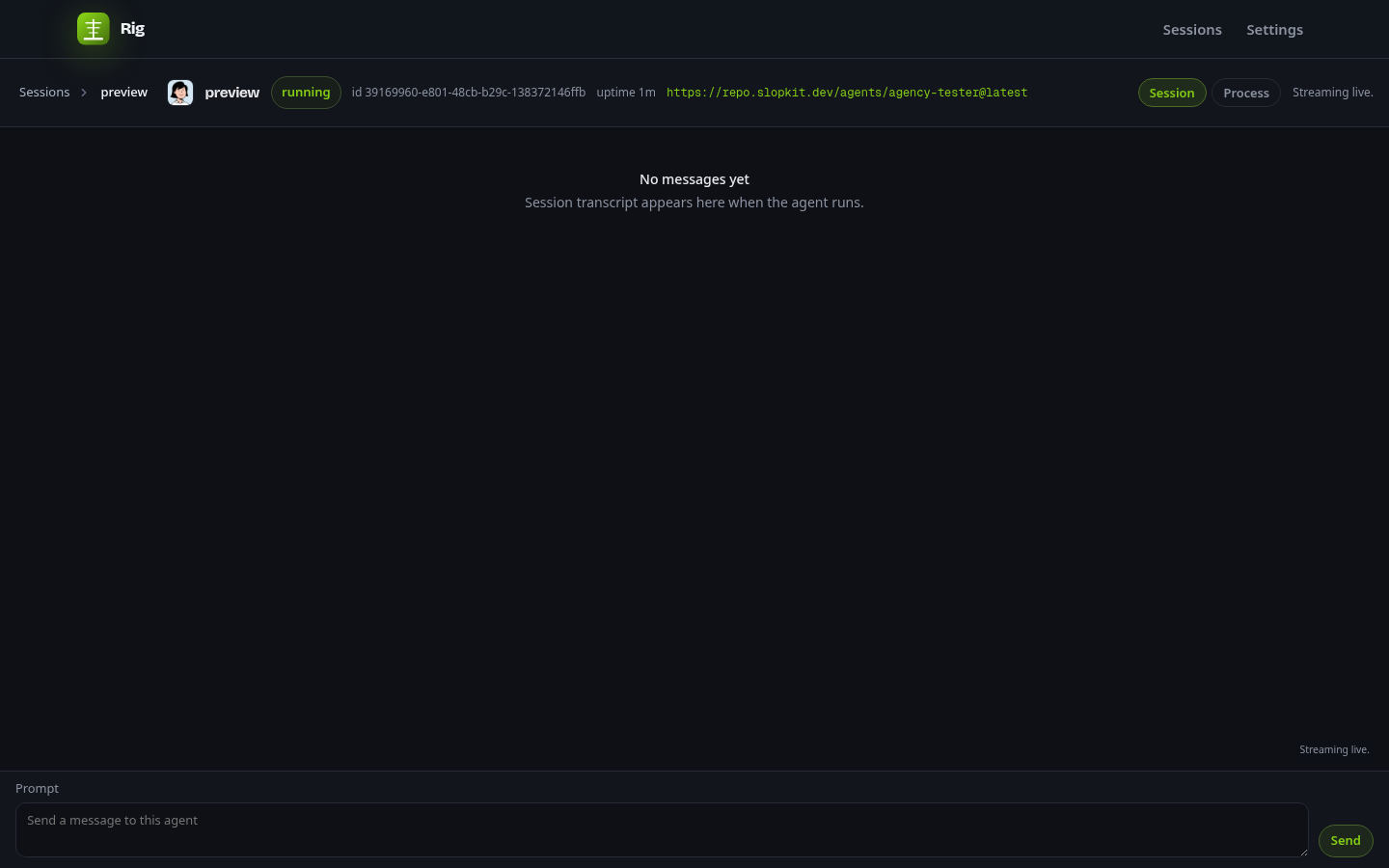
Check the files
~/.local/bin/rig
~/.local/share/rig/rigdb.sqlite
~/.local/share/rig/store
~/.local/share/rig/sessions
That is the first success. The rest of this page writes a workspace. Pulled images do not need that tree.
Create a workspace
A workspace is a flake that calls rig.lib.workspace. Build, catalog lists, and rig add need it. Pulled images do not.
Run:
rig new workspace
Match created workspace.
Then:
cd rig-workspace
The command writes only flake.nix. A destination that exists and is not empty exits 1.
Write a layer
From that directory, run:
rig new layer notes
Match a line that starts with created layer notes. The file is layers/notes/default.nix. The name is the directory. The file is the module body. There is no agent.layers.notes wrapper.
{ pkgs, ... }:
{
  description = "What this slice is for.";
  packages = [ pkgs.jq ];
  files."AGENTS.md" = {
    source = ./AGENTS.md;
    mergeable = true;
  };
}
Then:
rig new agent notes
Match a line that starts with created agent notes. Replace agents/notes/default.nix with:
{ layers, ... }:
{
  name = "notes";
  description = "What this agent is for.";
  compose = [ layers.notes ];
}
Do not list base. Eval prepends it. Add a published layer with rig add git@latest, then list layers.git on that compose list. The longer path is in Create an agent.
If a coding agent is writing the Nix, paste this after the session runs:
You are writing a Rig layer or agent.
1. Fetch https://rig.slopkit.dev/llms.txt
2. Fetch only the raw docs for agent, layer, and the command you need.
3. Use documented fields only. If a field is missing from those docs, ask.
4. Do not catalog published images. Those live at repo.slopkit.dev.
Field tables are in Docs. Retrieval rules are in For agents.
Build the agent
Needs Nix with flakes. From the workspace directory that is nix build .#agents-notes -o .agent.
rig build notes
Match the first line:
build notes: base → notes (flake .#agents-notes)
Then a materialized line with .agent, a store path, and counts. Unknown harness exits 1. Missing name exits 1 with error: build requires an agent name.
Push the image
Needs a workspace or an agent or layer path, and secretspec credentials for scopes.s3.
rig push <image>
image is required. Image ref forms and session flags are in Docs.